🌦️ RPX Weather v2
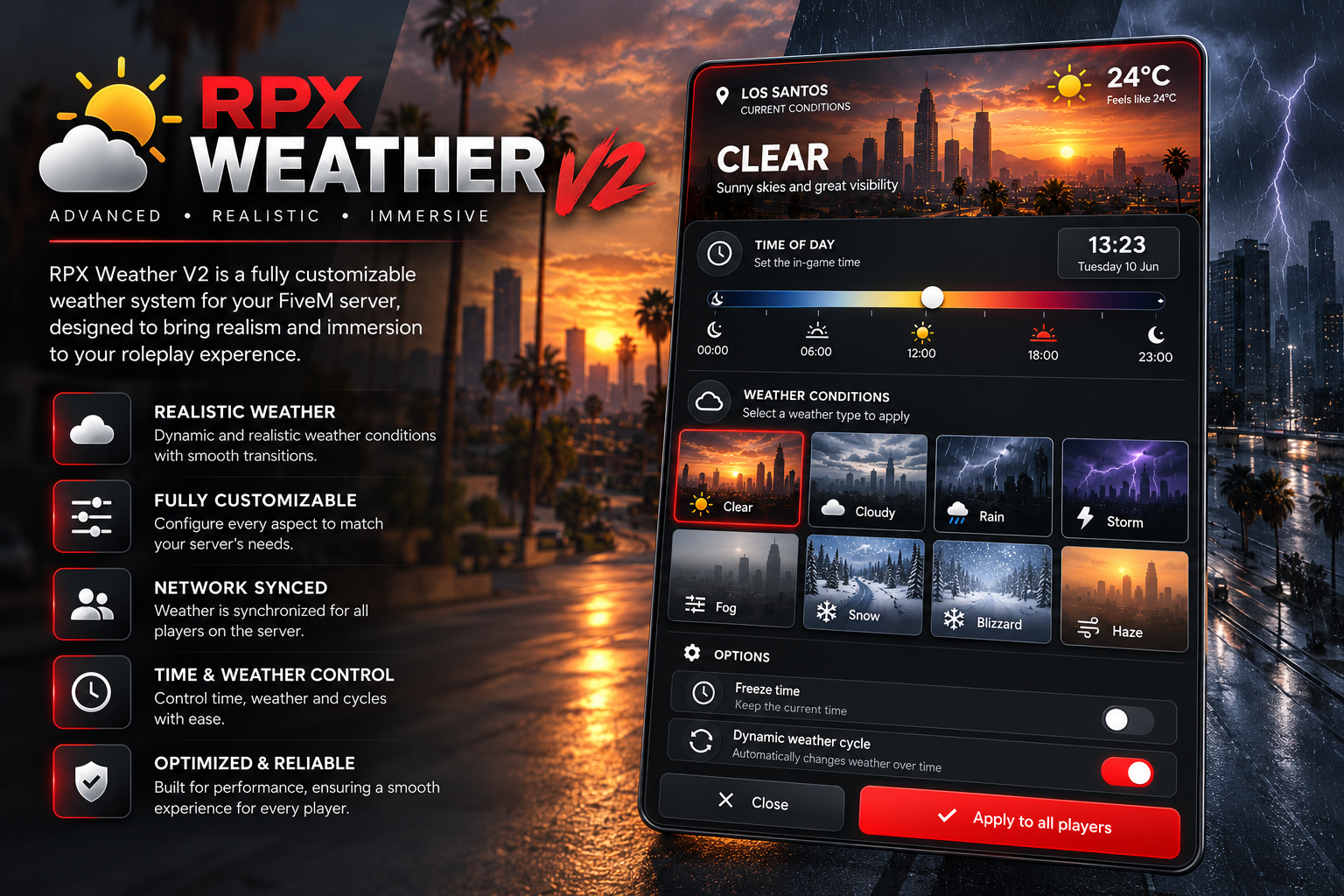
Bring your FiveM server to life with RPX Weather — a premium, lightweight weather and time management system designed to provide a realistic and immersive experience. Featuring a brand-new interface with live animated weather previews, smooth transitions and a dramatic pre-restart tsunami event, RPX Weather gives administrators complete control over the server's environment.
Whether you want to manually control the weather or let an automatic weather cycle do the work, RPX Weather makes it simple.
🆕 New in v2
✔️ Brand-new weather panel with live animated previews: rain, snow, lightning, fog and haze play over a real city photo
✔️ 🌊 Tsunami event before server restarts: a 12-second air raid siren, a violent storm, giant waves and a flood that rises to the top of Maze Bank Tower
✔️ Real flood water: players swim, run out of air and drown, cars stall
✔️ Automatic with txAdmin scheduled restarts, or set your own restart times
✔️ Smarter weather cycle that picks a random weather every 30–60 minutes and keeps going after restarts
✔️ Your own city name on the panel
✔️ Adjustable panel size
✔️ community_bridge support, so housing and interior scripts can pause and resume the weather
✔️ Players joining the server get the current weather instantly
✔️ Weather can't be overridden or drift out of sync
✨ Features
✔️ Modern, clean UI
✔️ Realistic weather presets
✔️ Dynamic weather cycle
✔️ Manual weather selection
✔️ Time control slider
✔️ Freeze time option
✔️ Server-wide weather synchronization
✔️ Smooth weather transitions
✔️ Pre-restart tsunami event (can be turned off)
✔️ Admin-only commands and panel, checked on the server
✔️ Optimized for performance
✔️ Easy configuration
✔️ Lightweight and efficient
✔️ Regular updates & support
🌤️ Weather Types
- Clear
- Cloudy
- Rain
- Storm
- Fog
- Haze
- Snow
- Blizzard
Plus Sunny, Overcast, Clearing, Neutral, Light Snow and Halloween through the /setweather command.
⌨️ Commands
- /weather or F5 — open the weather panel
- /setweather — set the weather
- /time — set the time (e.g. /time 14:30)
- /morning, /noon, /evening, /night, /midnight — quick time shortcuts
- /freezetime — freeze or unfreeze time
- /weathercycle — turn the automatic cycle on/off
- /tsunami — test the tsunami event
📦 Framework Support
✅ QB-Core
✅ QBOX
✅ txAdmin scheduled restarts
️ Installation
1. Drag the resource into your resources folder.
2. Add ensure rpxweather to your server.cfg.
3. Remove any other weather script (qb-weathersync, cd_easytime, etc.).
4. Configure the settings to your liking.
5. Restart your server.
You're ready to go!
💬 Support
Need help with installation or have questions?
Discord
❤️ Why Choose RPX Weather?
- Clean and professional design
- A tsunami event your players won't forget
- Built with performance in mind
- Easy to configure
- Fully synchronized across all players
- Designed specifically for serious FiveM roleplay servers
Upgrade your server's atmosphere today with RPX Weather and give your community a more immersive experience.
FREQUENTLY ASKED QUESTIONS
TOP CUSTOMER
RECENT PAYMENTS